
It parses
The ATS pulls the text out of your file and sorts it into fields: contact details, jobs, dates, education and skills. Tables, text boxes and graphics can break this step.
See your resume the way applicant tracking systems read it. Get a checklist of what to fix and the keywords you're missing while you write, and an AI score when you want one.
An applicant tracking system (ATS) is the software companies use to collect and sort job applications. Most large employers and many small ones use one. Before a recruiter sees your resume, the ATS turns it into plain text, files each part into fields and ranks you against the job. If it can't read your layout, or your resume is missing the words the job asks for, you can be filtered out even when you're a great fit.
The ATS pulls the text out of your file and sorts it into fields: contact details, jobs, dates, education and skills. Tables, text boxes and graphics can break this step.
Your resume is compared with the job description. Matching skills, job titles and keywords push you up the list. Missing ones push you down.
Recruiters usually review the top of the list first, often for just a few seconds each. Clear structure and strong bullets win that skim.
The checker looks at your resume the way screening software and recruiters do, and tells you in plain words what to improve.
Find layout problems that stop screening software from reading your resume.
Spot weak lines and turn them into clear achievements.
Make sure your skills match what employers search for.
Catch gaps and contradictions in your dates, titles and claims before a recruiter does.
Find typos, clichés and weak phrasing that make a resume easy to skip.
Every issue links to the exact line, so you can fix it right on the page.
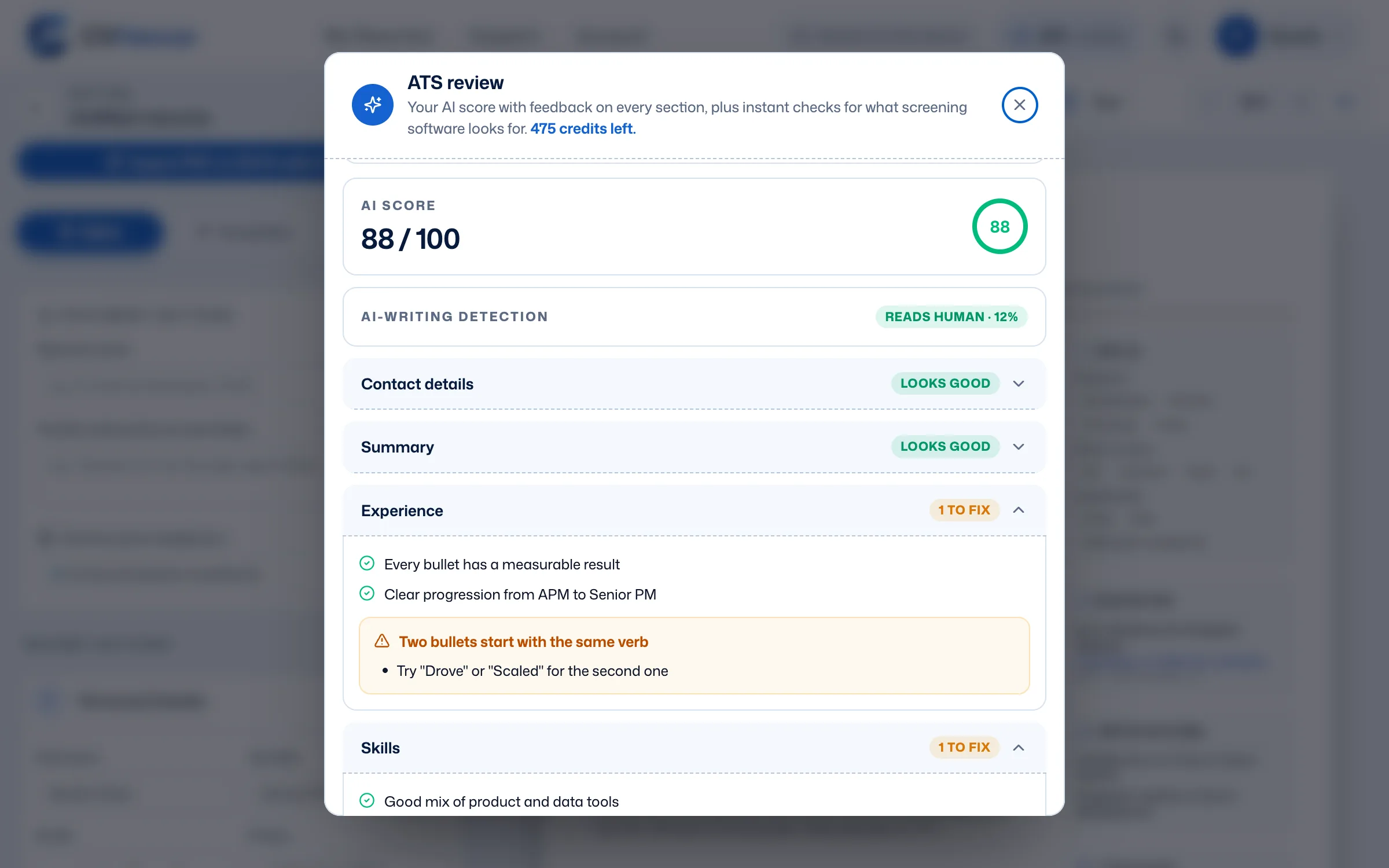
Your checklist and the tips under each field update with every change, so you see straight away when a bullet gets stronger or a section is missing. When you want a score, the ATS check rates your resume from 0 to 100: how screening software reads it, what a recruiter would flag and, with a job ad, the keywords you’re missing.
Paste the job description and the AI compares it with your resume. You get a match score, the keywords you already cover, the ones you're missing and tips on where to add them, so the ATS ranks you higher for that job.
Switch to the plain-text view to read your resume exactly as a parser extracts it: no columns, no colors, just text in reading order. If something looks scrambled there, it will look scrambled to the ATS too.
See ATS-Friendly TemplatesSign up in seconds. No credit card needed.
Type it in, start from an example, or import your old PDF or Word file with AI.
Click ATS Review above your resume to see your score by category and every fix.
Work through the fixes, then download a clean, readable PDF.
Want more? Read our guides on the CVHancer blog, or see how formats change in our resume formats by country.
Still unsure? Our team answers every message, usually within one business day.
Contact SupportYes. The free Starter plan includes the live ATS checklist for one resume, plus a PDF export. It also comes with 20 AI credits, enough to match your resume to two job ads.
No tool can promise that, because every company configures its ATS differently. A high score means your resume is easy to parse and follows the practices that screening software and recruiters reward, which gives you the best chance.
Yes. Paste the job description into Job Match and the AI shows a match score, the keywords you already have, the ones you are missing and how to tailor your resume.
A text-based PDF works with almost every modern ATS and keeps your layout intact. CVHancer exports exactly that. If an employer asks for Word, follow their instructions.
Start with the free plan: one resume, live ATS checks and a PDF export. The ATS check is free, and your AI credits cover your first job matches.